13 AI Tools That Save You Hours Every Week
Your actionable guide to the tools, hacks and shortcuts worth learning
You don't need to master 13 AI tools. You need the 2–3 that fix your biggest time-wasters, and the shortcuts that make them fast.
- Each tool explained in a two-minute chapter
- The exact hacks and shortcuts that save the most time
- One quick win per tool you can try today
- Watch-outs on accuracy, privacy and pricing for every tool
Secure payment • Digital eBook • Access after successful payment
Too many AI tools. Not enough hours to test them all.
Every week brings another AI tool. Meanwhile the same tasks still eat your time: drafting from a blank page, research across ten tabs, meeting notes, re-reading your own emails.
- Blank page, every dayEmails, summaries and outlines cost 10–15 minutes before you've even started.
- Research sprawlTen tabs open, half the sources unreliable, twenty minutes gone.
- Tool overloadYou try a tool once, never learn its shortcuts, and go back to doing it manually.
What you'll be able to do
Choose the right tools for you
See what each tool is best for, its pricing and the time it can save, then pick your top three.
Skip the learning curve
Go straight to the shortcuts, settings and features that matter, like Custom Instructions, Spaces or Snippets.
Use AI without new problems
Each chapter flags what to watch out for, from verifying facts to keeping confidential data out.
Get one win today
Every chapter ends with a quick win that takes a couple of minutes to set up.
Inside the book
Thirteen short chapters, each with the same structure: the problem, what the tool does, hacks & shortcuts, a key habit, time saved, watch-outs and a quick win.
Drafting, research & writing
- ChatGPT — General AI Assistant
- Perplexity — AI Research
- Grammarly — AI Writing
Meetings, slides, design & video
- Otter.ai — Meetings & Notes
- Gamma — Presentations
- Canva Magic Studio — Design
- Descript — Video
Automation, knowledge & code
- Zapier — AI Automation
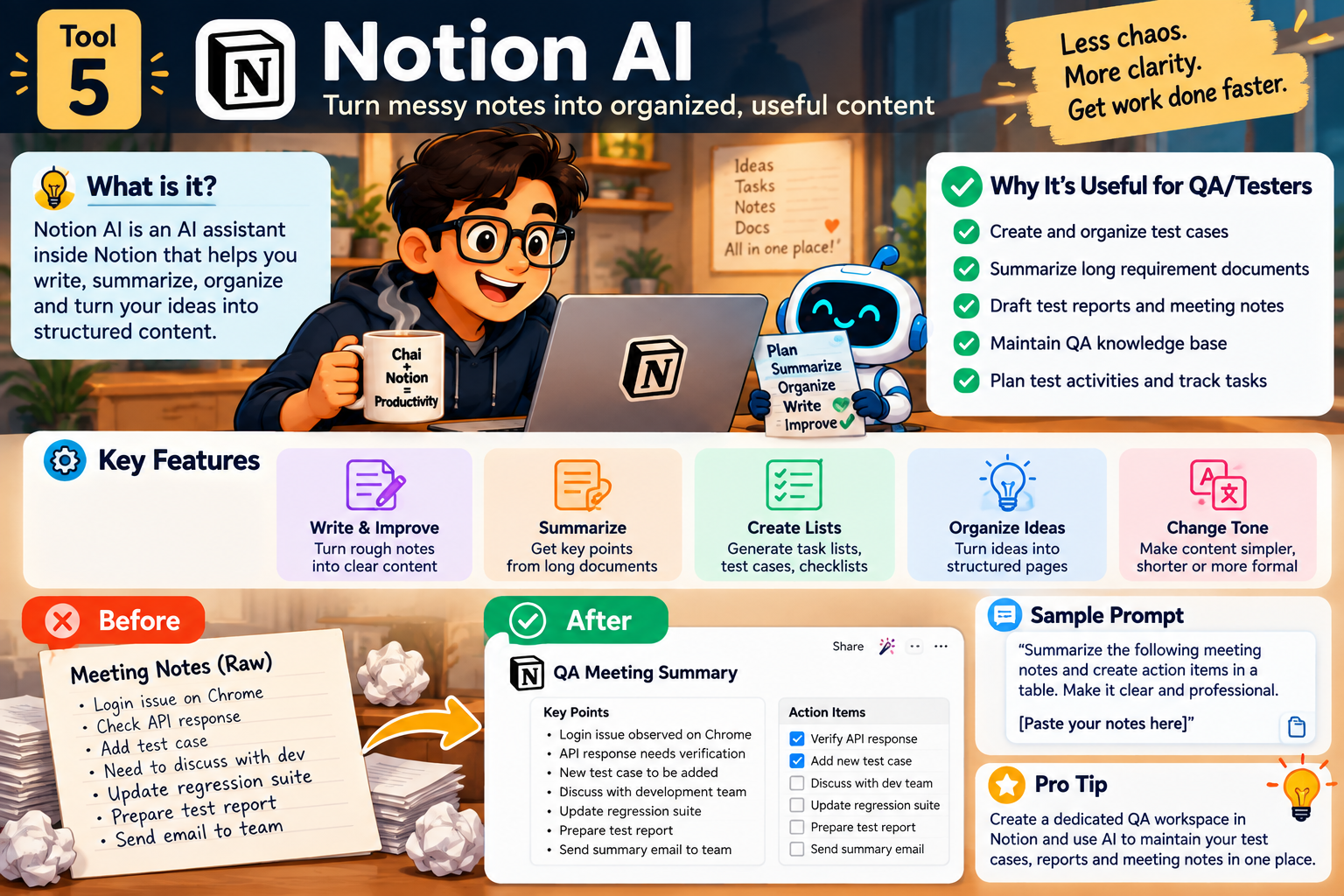
- Notion AI — Productivity
- GitHub Copilot — Coding
Documents, images & email
- NotebookLM — Document Analysis
- Midjourney — Content Creation
- Gmail Gemini “Help Me Write”
13 AI Tools at a Glance
One table comparing what each tool is best for, its pricing and time saved per week.
You Don't Need 13 AI Tools
A worksheet to pick your top 3 tools, name your biggest time-waster, and a data-safety checklist.
A look at the pages


Written for
Busy professionals
Spend less time on email, meetings, research and documents.
Creators & marketers
Slides, social graphics, video editing and cover art with AI.
Developers & technical staff
Coding assistance with GitHub Copilot and automation with Zapier.
AI-curious beginners
A short, practical map of which tools are worth your time.
Everything in the download
- The complete 13 AI Tools eBook
- 13 two-minute tool chapters
- Hacks & shortcuts for every tool
- Quick win per chapter
- At-a-glance comparison table
- Top-3 tools worksheet
- Download after successful payment
Questions, answered
What format is the eBook?
It's a digital eBook in PDF format.
How will I receive the eBook?
After successful payment you're redirected to a download page for this eBook.
Is this a physical book?
No. It's a digital eBook. Nothing is shipped.
Who is this eBook for?
Busy professionals, Creators & marketers, Developers & technical staff, AI-curious beginners.
Are the tool prices in the book current?
The book lists the pricing tiers for each tool as written at the time of publishing. Tool pricing changes often, so check each tool's website before subscribing.
Do I need to pay for all 13 tools?
No. Most tools in the book have a free tier, and the book's own advice is to pick just two or three.
Can I read it on mobile, laptop or tablet?
Yes. You can read it on any device that opens the file format above.
What happens after payment?
Your payment is processed by the payment provider, then you're sent to this book's thank-you page with a download button. Please save the file to your device.
What is your refund policy?
For a refund, please email sumitchaudhary07@gmail.com with your bank details.
Who do I contact if something goes wrong?
Message us on WhatsApp at +91 97116 25304 with your payment receipt.
Start with the tool costing you the most hours.
Thirteen tools, two minutes each. Read the one you need, set up its quick win, and move on.
Get this eBookSecure payment • Digital eBook • Access after successful payment