How Does an AI Agent Decide Which Tool to Call?
Daily Dose Of AI | How Does an AI Agent Decide Which Tool to Call?
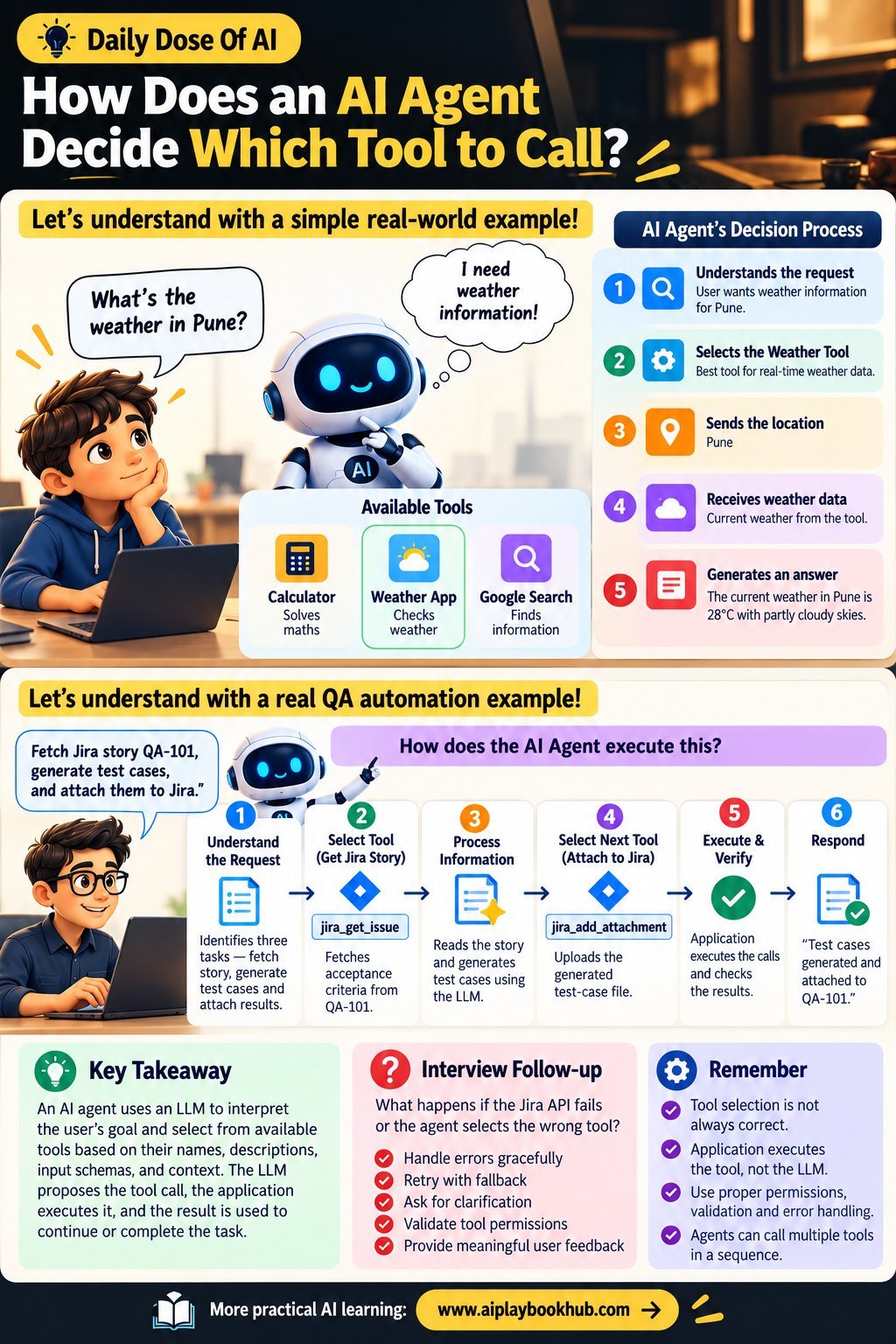
Let's understand with a real-world example!
🧮 Calculator → Solves maths
🌦️ Weather App → Checks weather
🔎 Google Search → Finds information
You ask: "What's the weather in Pune?"
🤖 AI Agent thinks: I need weather information!
✅ Selects the Weather Tool
✅ Sends the location: Pune
✅ Receives weather data
✅ Generates an answer
💡 Let's understand with a real QA automation example!
👨💻 User: "Fetch Jira story QA-101, generate test cases, and attach them to Jira."
🤖 How does the AI Agent execute this?
1️⃣ Understand the Request: Identifies three tasks — fetch story, generate test cases, and attach results.
2️⃣ Select Tool: Uses the available tool descriptions to choose jira_get_issue and fetch acceptance criteria.
3️⃣ Process Information: Reads the story and generates test cases using the LLM.
4️⃣ Select Next Tool: Chooses jira_add_attachment to upload the generated test-case file.
5️⃣ Execute & Verify: The application executes the authorized calls and checks the results.
6️⃣ Respond: "Test cases generated and attached to QA-101" — only after successful confirmation.
Follow-up: What happens if the Jira API fails or the agent selects the wrong tool?
🔗 More practical AI learning: https://lnkd.in/dyArasuM